
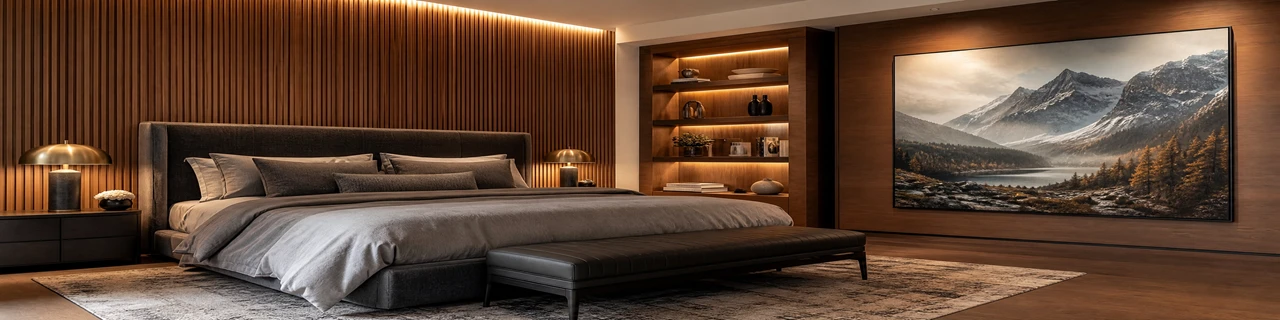
Let customers walk through a photorealistic 3D room - and apply any laminate finish to any surface, in real-time, before they ever place an order. Our laminates visualizer transforms how surface décor brands sell: from sample kits and showroom visits to an immersive, self-serve digital experience.
Photorealistic 3D Room Environment
Full 3D Room Navigation
Interactive Surface Pointer System
Wall & Furniture Surface Mapping
Zoom-In Finish Application
Save & Download Room Image
Surface décor decisions are tactile, emotional, and high-consideration. A flat product grid doesn't replicate the confidence a customer feels standing in a showroom. Our 3D laminates visualizer closes that gap - delivering a self-serve digital experience that mirrors physical exploration at every step. Built on React JS with high-performance 3D rendering, the platform handles full room environments with multiple simultaneous surface assignments, real-time finish switching, and accurate material rendering across lighting conditions. Techtonic has delivered this technology for leading laminate brands, combining deep front-end engineering with an understanding of how surface décor buyers make decisions. The result is a tool that doesn't just display your catalog - it converts it.
What is a 3D laminates visualizer?
A 3D laminates visualizer is an interactive tool that places customers inside a photorealistic room where they can apply laminate finishes to real surfaces — walls, cabinets, doors, panels — and view the result from every angle. It replicates the physical showroom experience entirely within a browser or mobile app.
How do users apply laminate finishes in the 3D room?
Users click a red dot surface pointer pinned directly onto the surface in the 3D room — or select a surface from the side panel — which triggers a zoom-in view. From there, they pick a laminate finish from the catalog and the texture is applied to that surface instantly, with accurate material rendering.
Which surfaces can be assigned individual laminate finishes?
The tool supports independent finish assignment across both Wall surfaces (such as Fluted Panels and Painting Panels) and Furniture surfaces (Cabinets, Shelves, Bed Drawers, Doors). Each surface holds its own selection, and all surfaces update simultaneously in the live 3D view.
Can users navigate the 3D room freely?
Yes. The room is fully navigable — drag to rotate the entire scene, use Ctrl-drag or arrow keys to pan, and click any pointer to zoom in on a specific surface. Customers can view the complete room from any angle before saving.
Can the visualizer integrate with our existing laminate catalog?
Yes. Techtonic connects the visualizer directly to your product catalog — each finish swatch links to its SKU, series name, finish type, and product page. Catalog updates sync automatically so the tool always reflects your live product range.
What happens when a customer finishes configuring their room?
Customers click Save Image to download a high-resolution render of their full 3D room with all selected laminate finishes applied. This image can be shared with architects, interior designers, or family members — and acts as a reference point when placing an order.
AAC-06, Shipra Krishna Azure, Kaushambi, Ghaziabad,Uttar Pradesh, India
ankur@wearetechtonic.com
+919910895680
AAC-06, 2nd Floor, Shipra Krishna Azure, Kaushambi, Ghaziabad,Uttar Pradesh, India
ankur@wearetechtonic.com
+919910895680